

Top 5 Tips for Staying Safe Online
Writers and insurance agents often ask me for advice about staying safe online. Why? Because I’ve written and presented many online classes about security and trends in the cyber sphere. In this post, I provide you with reliable cyber resources and my Top 5 Tips for Staying Safe Online.
Reliable Resources
One of the first things to keep in mind when conducting research is to verify the reliability of your sources. This means you must seek out objective resources.
Norton, McAfee, and Bitdefender appear in the lists of nearly all online reviews for the best antivirus software available. However, I wouldn’t use a review published by any of these companies as a resource. Why? Because each will be biased on its own behalf. And rightly so! If a company doesn’t have confidence in its own products, why should we … or anyone else?
Over the years, I’ve compiled a list of American companies that talk about computers, technology, and cyber security. None of these companies (to my knowledge) manufacture or sell security software. Therefore, they don’t have a vested interest in the products or companies they review. (Unless, perhaps, if they accept advertising revenue–which I haven’t researched.)
When I look for reviews about the best of anything–i.e., antivirus software, password managers, VPNs–I look to my list of resources. I also look to them for information–such as about multi-factor authentication or passkeys. My list includes (in no special order) pcmag.com, techradar.com, wired.com, tomsguide.com, cnet.com, zdnet.com, digitaltrends.com, lifewire.com, pcworld.com, and lifehackers.
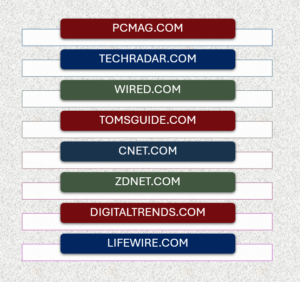
When I conduct research about anything, I visit at least 5 of these sources to obtain a consensus–if one exists. If one doesn’t, I obtain information from all the sources on my list and make my own personal best judgment.
NOTE: No matter what I’m researching, or for what purpose, I always check a minimum of 3 to 5 sources to confirm the veracity of the information I use.
Tip #1 for Staying Safe Online
Use anti-virus software. And use it on ALL your devices that connect to the internet. This includes computers, laptops, notebooks, smartphones, webcams, treadmills, smart TVs, EVERYTHING.
Anti-virus software runs in the background and scans your devices, networks, and servers. It identifies malicious software (malware) such as viruses, worms, and Trojan horses. It also limits the spread of malware and can detect ransomware, spyware, adware, keyloggers, bots, rootkits, and wipers.
If you want to know what these terms mean, you can visit glossaries at NIST.gov and Fortinet.
Tip #2 – Password Security
Yes, you’ve heard all about passwords. You probably think you know all you need to know about them, as well. You’re probably wrong–and it’s not because of anything about you. It’s because technology and the bad actors who use it change at the speed of light.
Security measures that work today may not work tomorrow. As soon as the good guys figure out how to thwart the bad guys, the bad guys circumvent the newly designed measures.
Once upon a time, an 8-character password was considered secure for staying safe online. Now, the minimum recommendation is 16 or 20 characters, depending upon who you talk to. The developer I work with uses a 50-character minimum password whenever he can.
The image below provides a snapshot of what you want to avoid when choosing a password. Of all the bad things you can do, though, using the same password on 2 or more sites is the absolute worst! Experts report that the 3 characteristics making us most vulnerable online are:
You must be a member at the How-To, Insurance, or Craft of Writing level to read the rest of this article. Joining is free. Click here to join.
Leave a Reply